Tips for Organizing a Clutter-Free and Functional Home Office Space
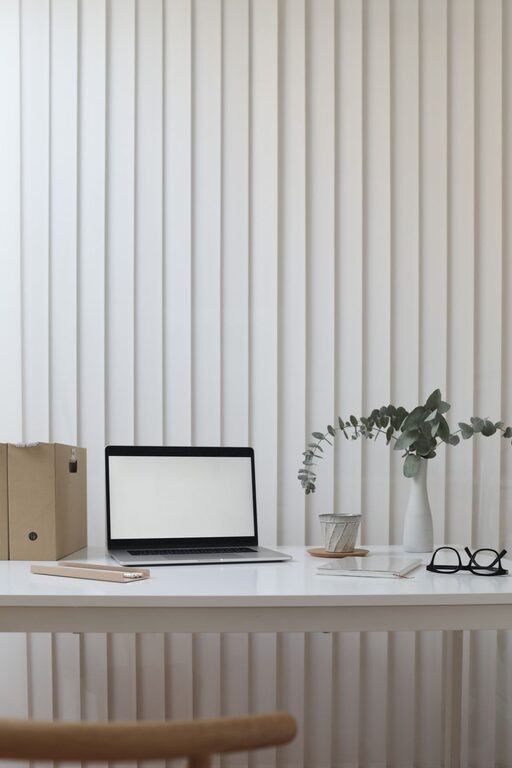
Creating a home office that’s both clutter-free and functional is essential for maintaining focus and productivity. A well-organized workspace can boost your creativity, reduce stress, and make working from home more enjoyable. Whether you have a dedicated room or a small corner, these tips will help you design an efficient home office tailored to your needs.
Assess Your Needs Before You Begin
Before buying furniture or organizing supplies, think about your daily tasks and what you need to accomplish them. Ask yourself:
– What equipment and tools do I use most?
– How much storage do I require?
– Do I need space for paper documents, or am I mostly digital?
– Will I have video calls or meetings here?
Answering these questions will guide your setup, helping avoid unnecessary items that contribute to clutter.
Choose the Right Furniture for Function and Comfort
Desk and Chair
Invest in a desk that fits both your space and work style. If you use multiple monitors or need room for drawing or writing, choose a larger desk with a clean surface. For smaller areas, consider wall-mounted or foldable desks that save space.
An ergonomic chair is just as important as the desk. Look for adjustable height, good lumbar support, and comfortable padding to maintain posture during long hours.
Storage Solutions
Include storage options that keep supplies organized but within reach. Some options include:
– Filing cabinets for documents
– Shelves for books and decorative items
– Drawer organizers for stationery
Vertical storage maximizes space and reduces tabletop clutter.
Declutter and Organize Efficiently
Sort and Purge
Start by sorting through everything in your workspace. Separate items into categories: keep, toss, or relocate. Be honest—if you haven’t used something in months, it probably doesn’t belong in your office.
Categorize and Store
Group similar items to make them easy to find. Examples:
– Electronics and chargers together
– Writing tools in pen cups or drawer trays
– Paperwork sorted by priority or project
Label boxes, drawers, or folders to maintain order over time.
Manage Cables and Electronics
Cables create visual clutter and can even pose safety hazards. Use cable clips, ties, or a cable management box to keep them tidy. Consider wireless peripherals like keyboards and mice to reduce cords.
Keep only essential electronics on your desk. Store backups or less-used gadgets in designated drawers or shelves.
Maximize Lighting and Air Quality
Good lighting reduces eye strain and sets a positive mood. Position your desk near natural light if possible. Use adjustable desk lamps with soft, warm light for evening hours.
Don’t forget ventilation: keeping a window open or using a small air purifier improves air quality, which enhances concentration.
Personalize Without Overcrowding
Adding personal touches can make your office feel welcoming and boost motivation. Choose a few items like plants, artwork, or photos, but avoid overcrowding surfaces.
Plants, for example, improve air quality and add calming greenery. Just pick low-maintenance types like succulents or pothos.
Develop Daily Habits to Maintain Order
An organized space requires regular upkeep. Try:
– Ending each workday by tidying your desk
– Filing documents immediately instead of piling them up
– Weekly “reset” sessions to reassess and reorganize
Small daily efforts prevent clutter from building and make your office a pleasant place to work.
Use Digital Tools to Reduce Paper Clutter
To keep physical clutter minimal, take advantage of digital tools:
– Scan documents and store them securely on cloud platforms
– Use note-taking apps instead of sticky notes
– Manage tasks with digital planners or project management apps
This reduces paper waste and keeps your desk clear.
Create Zones for Better Workflow
If space allows, design different “zones” within your home office:
– A primary work area for your computer and main tasks
– A reference zone with books and materials
– A creative zone for brainstorming or sketching
Zoning helps you focus and keeps related items grouped.
Final Thoughts
A clutter-free, functional home office improves productivity and well-being. It may take some time to customize your space, but the benefits are worth it. Focus on what you need, maintain order regularly, and create an environment where you feel comfortable and inspired.
With these tips, your home office can become a tidy, efficient hub that supports your work and creativity every day.