Tips for Creating a Cozy and Inviting Home Workspace
Creating a cozy and inviting home workspace can transform how you work, making your day more enjoyable and productive. Whether you work remotely full-time or need a dedicated spot for occasional tasks, a well-designed workspace encourages focus and comfort. Here are some practical tips to help you design a home office that feels welcoming and supports your best work.
Choose the Right Spot
Before adding furniture or decorations, consider where to set up your workspace.
– Natural Light: Pick a spot near a window if possible. Natural light improves mood and reduces eye strain.
– Quiet Area: Choose a place with minimal distractions and noise.
– Space Matters: Make sure there’s enough room for your desk, chair, and any equipment you need without feeling cramped.
Invest in Comfortable Furniture
Comfort is key to a cozy workspace.
– Ergonomic Chair: Select a chair that supports good posture and is adjustable.
– Desk Size: Your desk should be large enough to accommodate your computer, paperwork, and any other daily tools.
– Add a Footrest: A footrest can improve comfort, especially if your feet don’t reach the floor comfortably.
Personalize Your Space
Adding personal touches makes the workspace inviting.
– Decorate Thoughtfully: Use framed photos, artwork, or inspiring quotes that motivate you but don’t overcrowd the area.
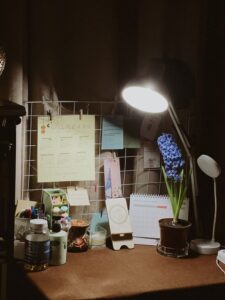
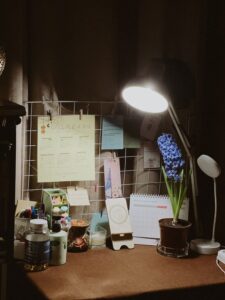
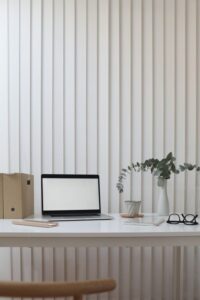
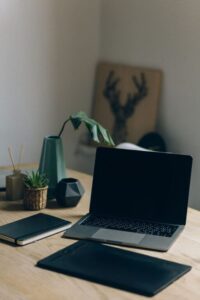
– Plants: Houseplants add life and can improve air quality. Choose easy-to-care-for plants like succulents or pothos.
– Color Choices: Soft, warm colors on walls or accessories can create a welcoming atmosphere.
Organize Efficiently
Clutter can reduce productivity and make a space feel chaotic.
– Storage Solutions: Use shelves, filing cabinets, or baskets to keep papers and supplies organized.
– Desk Organizers: Small trays or containers help keep pens, notes, and other essentials within reach.
– Cable Management: Use clips, ties, or channels to keep cords untangled and out of sight.
Pay Attention to Lighting
Good lighting reduces eye strain and enhances ambiance.
– Task Lighting: A desk lamp with adjustable brightness helps focus on detailed work.
– Ambient Lighting: Supplement overhead lights with soft lamps or string lights for a cozy vibe.
– Avoid Glare: Position monitors and lights to reduce screen reflections.
Keep Comfort Accessories Handy
Small additions can make a big difference.
– Cozy Textiles: Keep a throw blanket or cushion on your chair for extra comfort.
– Temperature Control: A small fan or heater can help regulate your workspace temperature.
– Hydration Station: Having a water bottle or mug nearby reminds you to stay hydrated throughout the day.
Set Boundaries Within Your Home
Maintaining boundaries helps separate work from personal life.
– Visual Separation: Use room dividers, screens, or rugs to define your workspace.
– Closed Storage: Cabinets or boxes help visually separate work materials from living areas.
– End-of-Day Routine: Clear your desk or cover equipment to mentally signal the end of your workday.
Add Technology Wisely
Choose tools that support your workflow without creating distractions.
– Quality Equipment: Invest in a reliable computer, headset, or printer to reduce frustrations.
– Wireless Devices: Wireless keyboards and mice can help keep your workspace neat.
– Minimal Notifications: Use “Do Not Disturb” modes during focused work hours to limit interruptions.
Keep It Clean and Fresh
A tidy, fresh-smelling space feels more inviting.
– Regular Cleaning: Wipe surfaces and tidy papers daily or weekly.
– Air Circulation: Open windows when possible or use an air purifier.
– Pleasant Scents: Lightly scented candles or essential oil diffusers can create a calming environment (ensure these are safe for your space).
Final Thoughts
Your home workspace should be a place where you feel comfortable and focused. By combining thoughtful furniture choices, personal touches, organization, and good lighting, you can create a cozy and inviting area that supports both your well-being and productivity. Start small with a few easy changes and adjust your setup as needed to find what works best for you. With the right environment, working from home can be both enjoyable and efficient!